# Approval Escalation

Access requests can be delayed when the assigned approver is unavailable. For example, a developer may request access to a routine resource but wait for approval because the approver is in meetings, away from his or her desk, or out of office.

**Approval escalation** reduces these delays by automatically sending the request to additional approvers after a defined period of time. If the assigned approver does not approve or reject the pending request within the configured interval, Apono sends a single escalation notification to the next approval tier. Up to five escalation tiers can be configured.

All approvers who have received the escalation notification, including the assigned approver, can approve or reject the request. This allows the request to be resolved as soon as any approver becomes available.

***

### Understand the user experience

Approval escalation affects how access requests are handled and communicated across Apono. The following sections describe what admins, requestors, and approvers see when a request is escalated.

#### Admin experience

**Configure escalation**

Admins configure approval escalation when creating a [self serve access flow](https://docs.apono.io/docs/access-flows/self-serve-access-flows#set-approval-escalation) with [custom approval](https://docs.apono.io/docs/access-flows/self-serve-access-flows#set-up-custom-approval). Up to **five escalation tiers** can be defined, each triggered after a set interval.

**Monitor escalation activity**

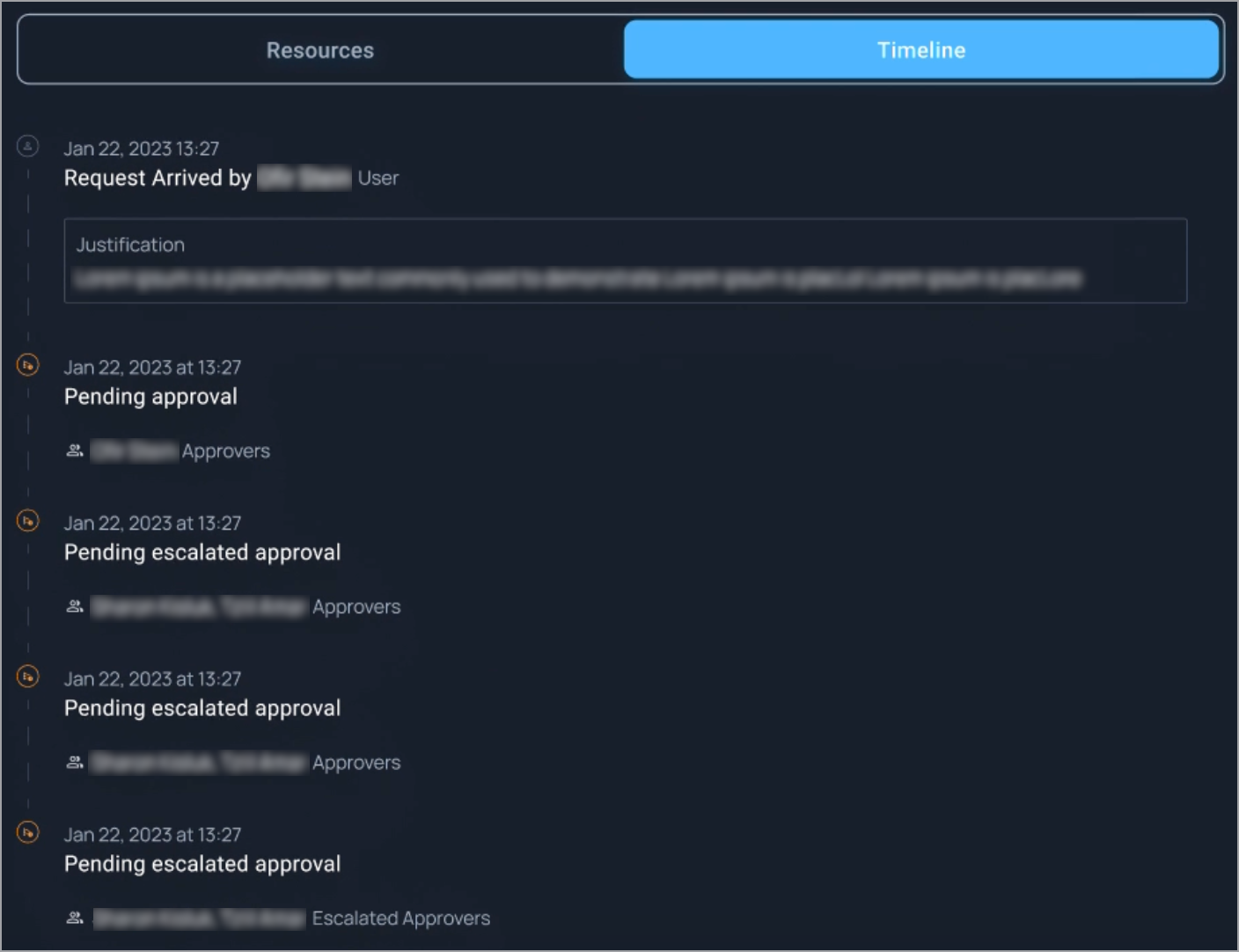
From the **Activity** page, admins can monitor escalation activity in the **Timeline** of a pending request.<br>

<figure><img src="https://1094436629-files.gitbook.io/~/files/v0/b/gitbook-x-prod.appspot.com/o/spaces%2Fv6MBfUGvblSdAz31yJXm%2Fuploads%2Fgit-blob-60775eed697dc13a2153ef3cddb79ce16fd0c10a%2Fapproval-escalation-activity-timeline.png?alt=media" alt="" width="563"><figcaption><p>Timeline for a pending request with multiple escalations</p></figcaption></figure>

When Apono escalates a request, it logs a **Pending escalated approval** event. If additional escalations occur, each one appears as a separate event until the request is approved or rejected.

Learn more about how to [View access request details](https://docs.apono.io/docs/audits-and-reports/activity-overview/activity#view-access-request-details) from the **Activity** page.

#### Requestor experience

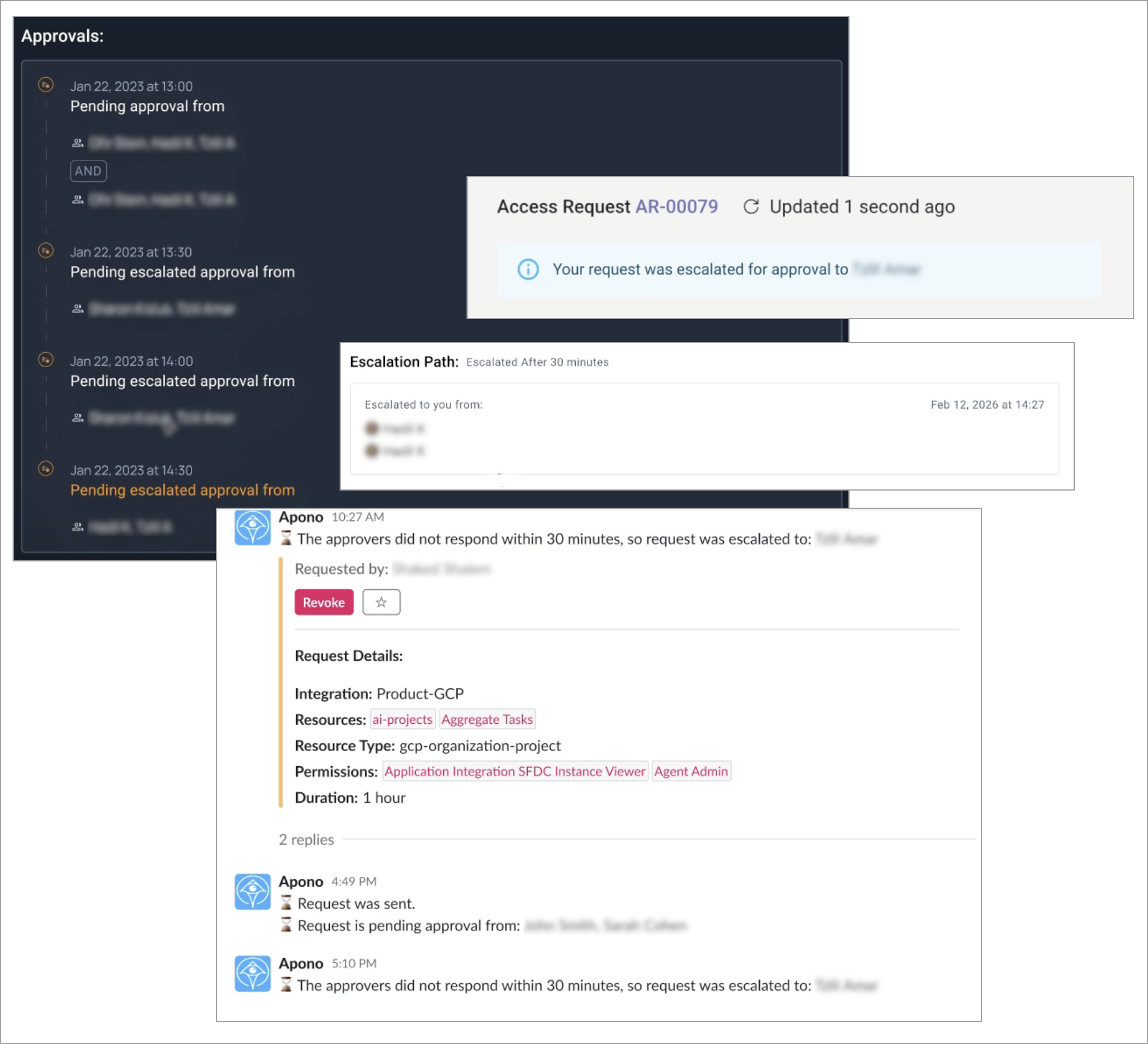
Requestors are notified when Apono escalates their requests.

<figure><img src="https://1094436629-files.gitbook.io/~/files/v0/b/gitbook-x-prod.appspot.com/o/spaces%2Fv6MBfUGvblSdAz31yJXm%2Fuploads%2Fgit-blob-71602673ee46278c58090959e352a916e03c3971%2Fapproval-escalation-requester-clients.png?alt=media" alt="" width="563"><figcaption><p>Escalation notifications in the web portal, Teams, Backstage, and Slack</p></figcaption></figure>

Depending on your organization’s integrations, escalation updates will appear in the locations listed below.

<table><thead><tr><th width="165.21875">Client</th><th>Where notifications occur</th></tr></thead><tbody><tr><td><strong>Slack</strong></td><td>Message indicating the request was escalated because the previous approvers did not respond within the configured timeframe</td></tr><tr><td><strong>Email</strong></td><td>Message indicating the request was escalated because the previous approvers did not respond within the configured timeframe</td></tr><tr><td><strong>Teams</strong></td><td><ul><li>In-platform banner notification indicating that the request was escalated to another approver</li><li><a href="../../../access-requests-and-approvals/teams/requesting-access-with-teams#view-requests">Access request panel</a> showing the updated escalation path and previous approvers</li></ul></td></tr><tr><td><strong>Backstage</strong></td><td><a href="../../../access-requests-and-approvals/backstage/requesting-access-with-web-portal#view-requests">Access request panel</a> showing the updated escalation path and previous approvers</td></tr><tr><td><strong>Web Portal</strong></td><td><a href="../../../access-requests-and-approvals/web-portal/requesting-access-with-web-portal#view-requests">Access request panel</a> showing the updated escalation path and previous approvers</td></tr></tbody></table>

#### Approver experience

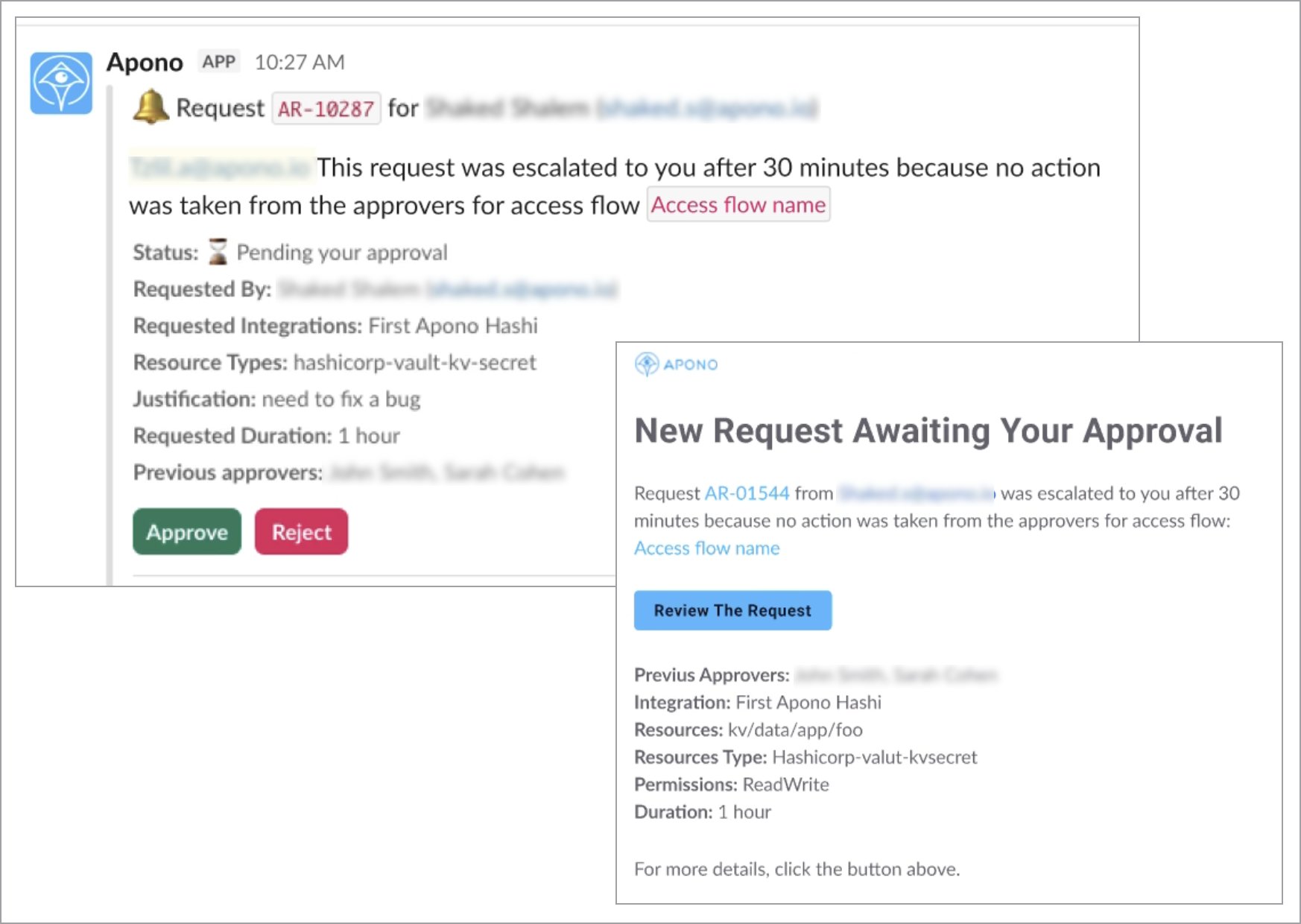
Approvers are notified when Apono escalates requests to their escalation tier.

<figure><img src="https://1094436629-files.gitbook.io/~/files/v0/b/gitbook-x-prod.appspot.com/o/spaces%2Fv6MBfUGvblSdAz31yJXm%2Fuploads%2Fgit-blob-e5b989c06487d0f8ba294f22c5e0f9c5b2430fbd%2Fapproval-escalation-approver-clients.png?alt=media" alt="" width="563"><figcaption><p>Escalation notification in Slack and email</p></figcaption></figure>

Depending on your organization’s integrations, escalation updates will appear in the locations listed below.

<table><thead><tr><th width="165.21875">Client</th><th>Where notifications occur</th></tr></thead><tbody><tr><td><strong>Slack</strong></td><td>Message indicating the request was escalated because the previous approvers did not respond within the configured timeframe and guidance to complete the request</td></tr><tr><td><strong>Email</strong></td><td>Inbox message indicating the request was escalated because the previous approvers did not respond within the configured timeframe and guidance to complete the request</td></tr><tr><td><strong>Teams</strong></td><td>Message indicating the request was escalated because the previous approvers did not respond within the configured timeframe and guidance to complete the request</td></tr><tr><td><strong>Backstage</strong></td><td><a href="../../access-requests-and-approvals/backstage/approving-access-with-web-portal">Pending approval task</a> for the escalated request</td></tr><tr><td><strong>Web Portal</strong></td><td><a href="../../access-requests-and-approvals/web-portal/approving-access-with-web-portal">Pending approval task</a> for the escalated request</td></tr></tbody></table>